













On this page

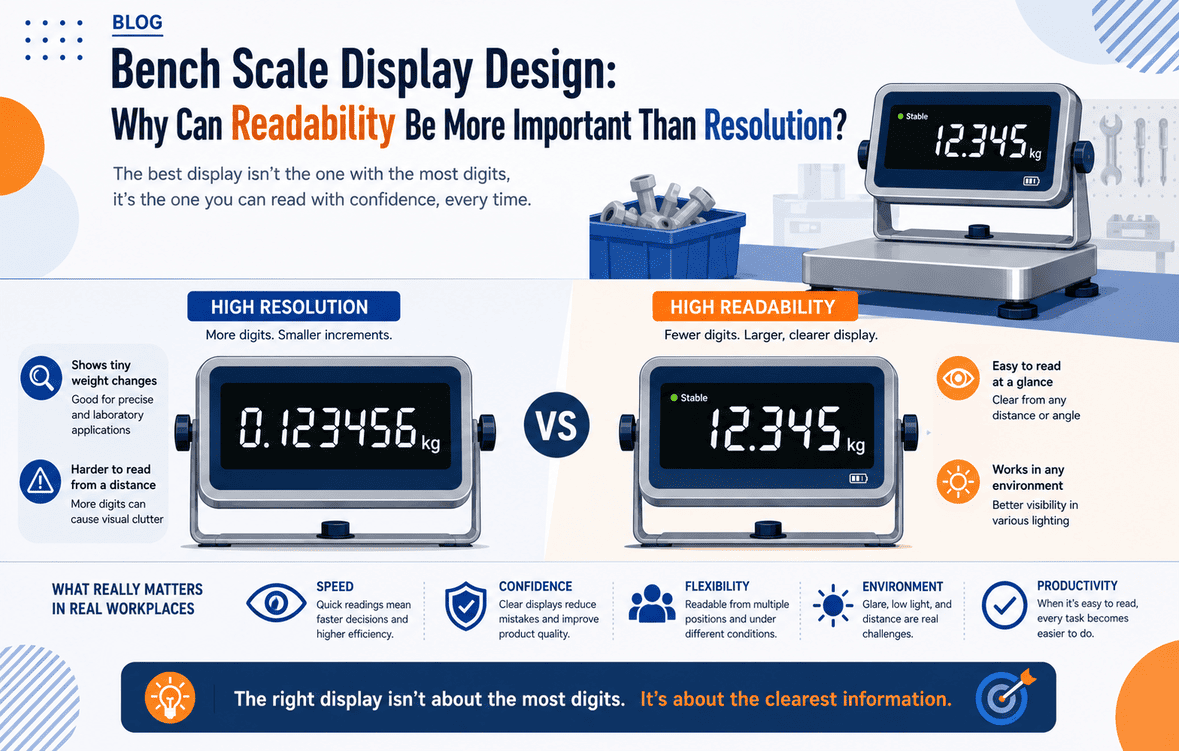
I often see accurate bench scales create wrong results because operators cannot read them fast, clearly, and with confidence during busy work.
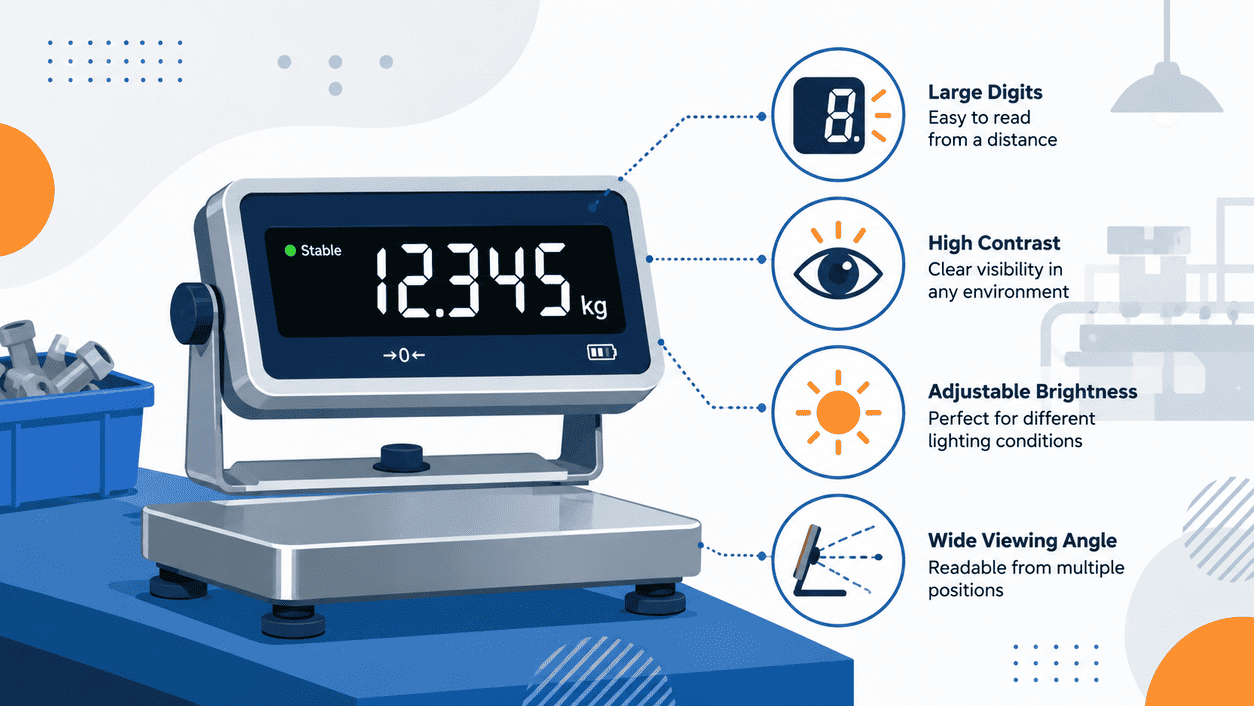
Readability can be more important than resolution because most workshop errors come from human reading mistakes, not sensor limits. I choose a bench scale display by checking screen size, backlight, viewing angle, stable symbol, alarm clarity, response speed, and button layout before I compare fine divisions.
I learned this lesson on real packing and warehouse floors, not in a clean catalog page. A bench scale may show 0.1 g, 1 g, or 5 g, but that number only helps when the operator can see it without doubt. In a fast workplace, the display becomes the main conversation between the scale and the worker. If that conversation is weak, the whole weighing process becomes weak too.
Resolution vs. Readability: What Are Buyers Really Confusing?
I often hear buyers compare display divisions first, then forget the worker who must read the number hundreds of times a day.
Resolution means the smallest displayed weight step. Readability means how easily I can see, understand, and act on the weight value in real use. A scale with fine resolution can still cause errors if the display is small, dim, reflective, slow, or unclear.
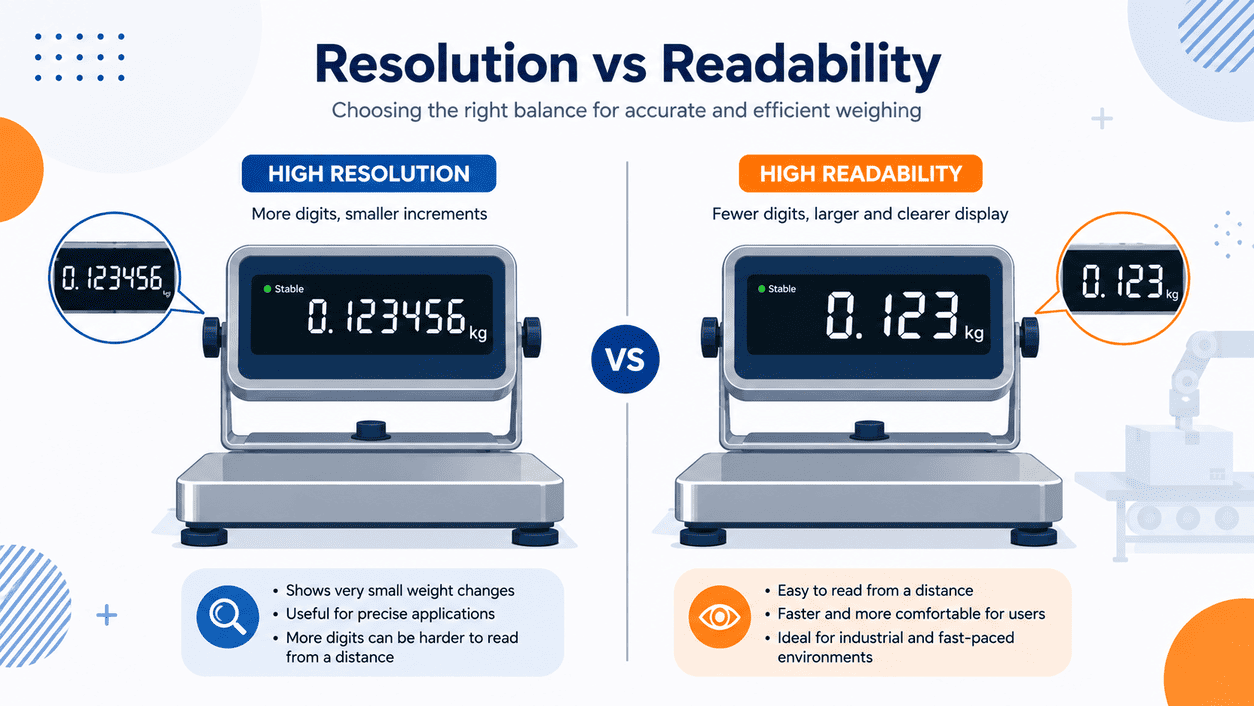
I always separate resolution and readability when I help a customer choose a bench scale. Resolution is a technical value. Readability is an operating value. Both matter, but they solve different problems. If I weigh small parts in a controlled room, fine resolution may matter more. If I check boxes on a packing line, readable numbers may matter more because speed and repeat action control the result.
I look at the real weighing task first
| Item I Check | What It Means | Why I Care |
|---|---|---|
| Display division | 0.1 g, 1 g, 5 g, or another step | I need enough detail for the process |
| Digit height | Size of the numbers | I need operators to read from normal distance |
| Contrast | Difference between digits and background | I need clear reading under factory light |
| Stable mark | Symbol that shows the weight is stable | I need workers to know when to record |
| Alarm display | Visual and sound warning | I need fast pass or fail judgment |
I once watched an operator weigh packed items on a bench scale with good resolution. The problem was not the load cell. The problem was that the numbers looked small from the normal standing position. The operator leaned forward for every reading. After one hour, he stopped checking carefully. This is how errors enter the system. The scale may still be accurate, but the working process is not reliable. That is why I do not ask only, “How many grams can it show?” I also ask, “Can the worker read it in two seconds without strain?”
How Do Workshop Lighting, Viewing Angle and Operator Distance Change Display Choice?
I see many bench scales placed under bright lamps, near doors, beside windows, or at high worktables where the display angle is not ideal.
Workshop lighting, viewing angle, and operator distance affect whether the weight value is readable during normal work. I choose larger digits, strong backlight, anti-glare display surfaces, adjustable indicators, and proper mounting height when the workstation is bright, wide, or fast moving.
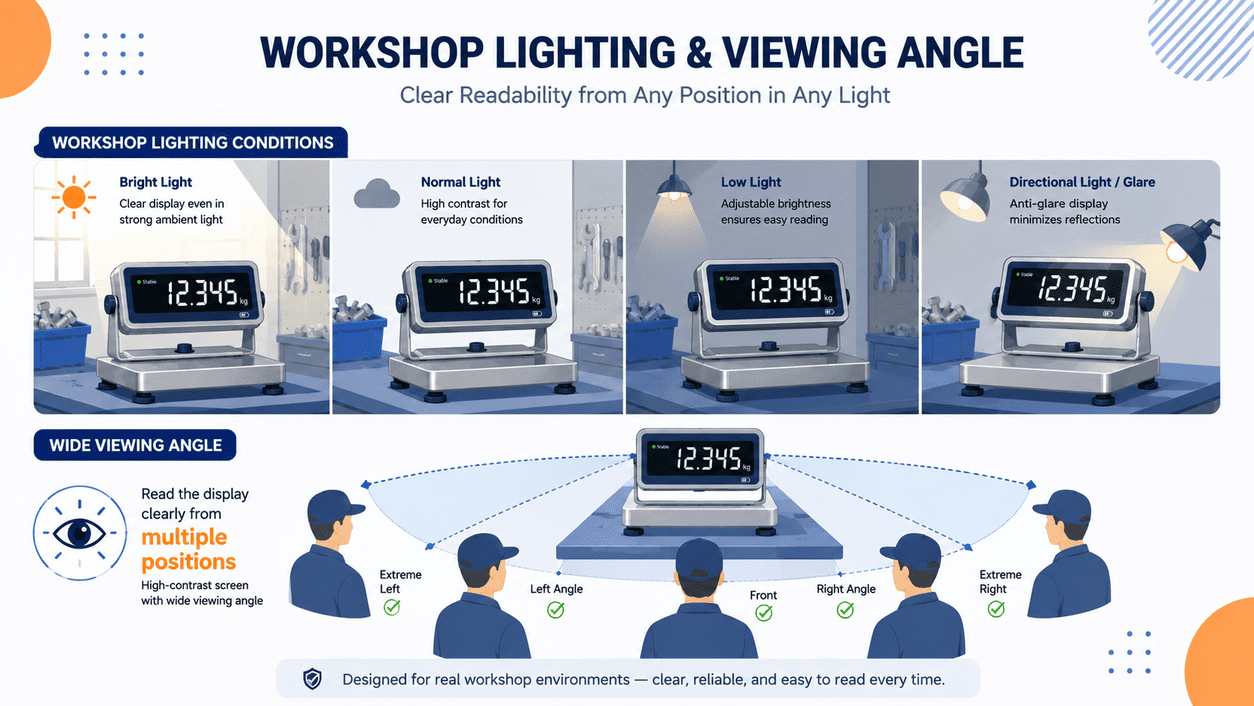
I never judge a bench scale display only while standing directly in front of it in an office. I ask where the scale will sit. I ask whether the operator stands, sits, turns from side to side, or moves between stations. I also ask whether the worker wears gloves, whether the area has dust, and whether the display may face sunlight. These details sound small, but they change daily use.
I check the display from the worker’s real position
| Site Condition | Possible Problem | Display Feature I Prefer |
|---|---|---|
| Strong overhead light | Reflection hides digits | High contrast display and anti-glare face |
| Side viewing | Digits look weak or distorted | Wide viewing angle screen |
| Long operator distance | Worker misreads small digits | Larger digit height |
| Standing workstation | Display may sit too low | Pole-mounted indicator |
| Seated workstation | Display may sit too high | Adjustable angle bracket |
| Dusty packing area | Screen becomes dirty | Clear cover and easy cleaning surface |
I remember one installation where the bench scale was accurate, but the indicator was fixed too low. The operator had to look down and across the platform. The viewing angle made the digits look faint. The customer first asked for a higher resolution model. I suggested changing the indicator position before changing the scale capacity or division. After we used a taller pole and turned the display toward the operator, the misreading complaints dropped. This showed me that the best bench scale is not always the one with the finest number. It is the one that matches the worker’s eye level, body movement, and lighting. A display should not fight the operator. It should guide the operator.
Why Do Fast Stabilization and Clear Alarms Matter in Repetitive Weighing?
I often see workers skip careful weighing when the display takes too long to settle or when the pass and fail signal is unclear.
Fast stabilization and clear alarms matter because repetitive weighing depends on rhythm. I need the bench scale to lock weight quickly, show a clear stable mark, and give direct under, OK, and over signals through sound, color, or screen prompts.
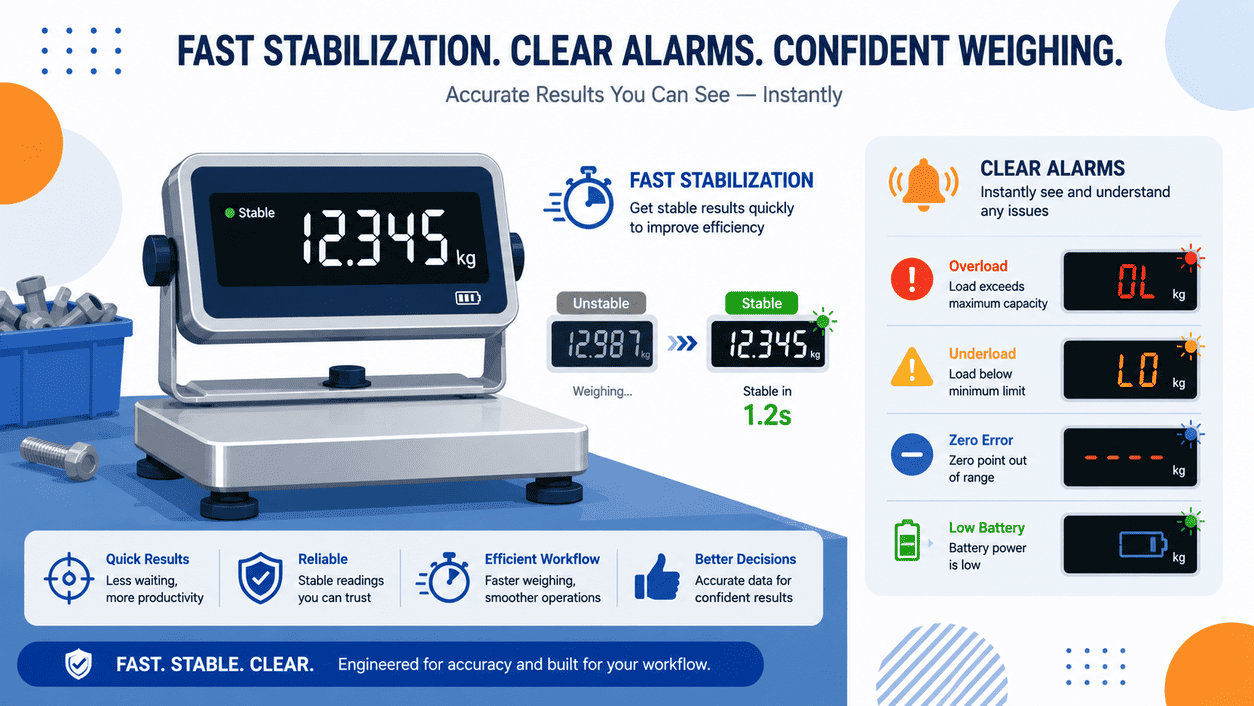
In packing, counting, and quality control work, the scale is part of a repeating action. The operator places an item, waits, checks, removes it, and places the next one. If each step feels slow, the worker starts to rely on habit instead of the scale. This is not laziness. It is a human response to bad process design. I believe a bench scale must protect the process by making the correct action easier than the shortcut.
I want the scale to support the operator’s rhythm
| Function | What I Expect | How It Helps |
|---|---|---|
| Fast stabilization | Weight settles quickly | I reduce waiting time |
| Stable symbol | Clear mark when reading is ready | I prevent early recording |
| Checkweighing alarm | Under, OK, over warning | I make judgment faster |
| Buzzer | Sound signal for pass or fail | I help workers who cannot stare at screen |
| Red-green light | Visual status signal | I reduce reading effort |
| Response control | Stable but not jumpy display | I balance speed and trust |
I have seen packing lines where workers handle hundreds of small cartons every hour. In that setting, nobody wants to stop and study tiny changing digits. The worker needs a clear sign. If the weight is OK, the scale should say OK in a way that the worker can feel at once. A buzzer, a green light, or a clear on-screen mark can do this. If the weight is too low or too high, the alarm must be different and direct. I also care about stabilization speed because a slow display trains the worker to move too early. A bench scale should not only measure weight. It should shape behavior. When the stable mark is clear and the alarm is easy to understand, the worker trusts the scale and keeps using it correctly.
How Should I Choose Bench Scale Indicators for Packing, Counting and QC Workstations?
I start with the workstation, because packing, counting, and QC work all need different display behavior, buttons, and alarm habits.
I choose bench scale indicators by matching them to the task. For packing, I value checkweighing alarms. For counting, I value sample setting and stable parts counting. For QC, I value clear records, tare control, accuracy, and easy operator confirmation.
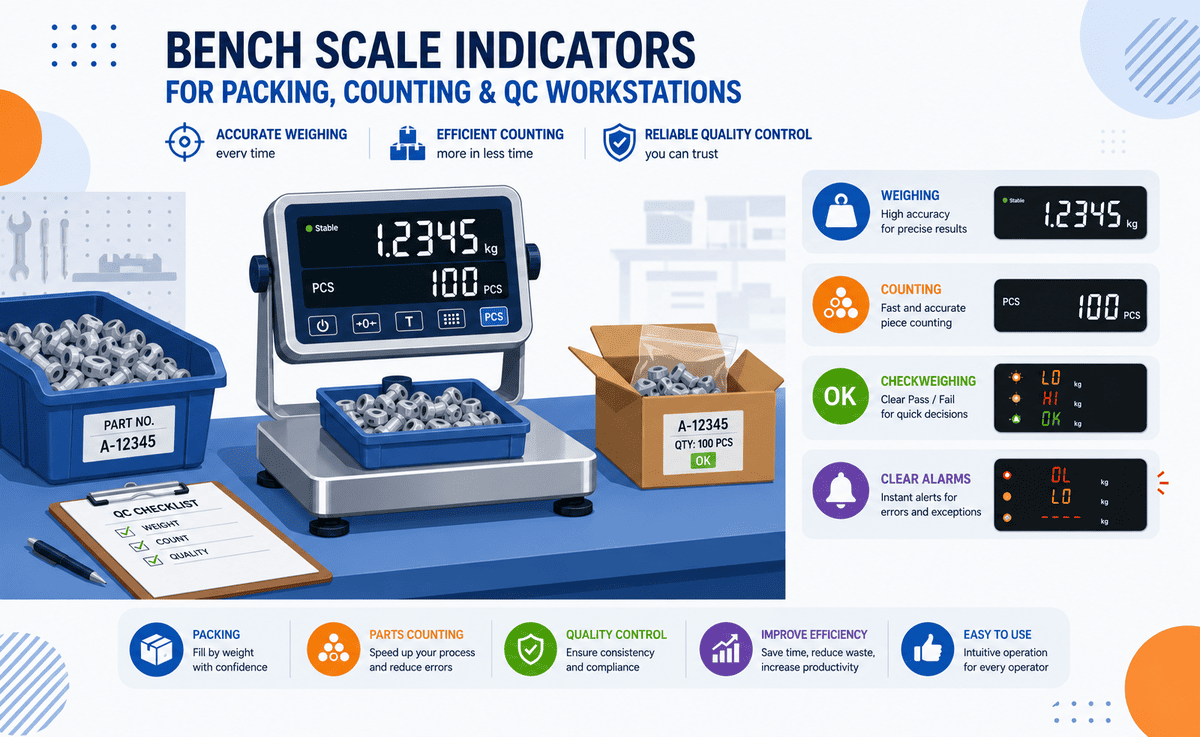
I treat the indicator as the control center of the bench scale. The platform carries the load, but the indicator carries the user experience. If the buttons are hard to press, the tare process is slow, or the screen menu is confusing, the worker will avoid functions that could improve accuracy. I like indicators with direct keys for tare, zero, unit switch, counting, and checkweighing. I also like clear icons and simple menu steps. A good indicator should not require constant supervisor support.
I match indicator functions to the workstation
| Workstation Type | Main Risk | Indicator Feature I Prefer |
|---|---|---|
| Packing station | Wrong fill or missing item | Checkweighing with red, green, and yellow status |
| Counting station | Wrong sample count | Easy sample setting and clear count display |
| QC station | Wrong acceptance decision | Stable mark, data output, and alarm limits |
| Receiving desk | Wrong tare or container weight | Quick tare key and stored tare options |
| Warehouse bench | Harsh use and gloves | Large buttons and strong housing |
| Export packing | Record mistakes | RS232, USB, Bluetooth, or data logging option |
I also pay attention to pole height and display placement. A bench scale on a low table may need a pole-mounted indicator. A compact workstation may need a front-facing display. A shared station may need a second display so the supervisor or customer can see the same value. These choices help remove doubt during transactions.
I once helped a customer who used bench scales for carton checking before shipment. The original indicator had a good display division, but the limit alarm was hidden inside a menu. Workers did not use it. They only checked the weight number by memory. We changed to an indicator with direct checkweighing keys and clear color prompts. The process became faster because the worker no longer had to think through every number. The scale became a tool that guided action. This is the kind of design I want from a bench scale. I want the operator to feel that the scale helps, not slows the work.
Conclusion
I choose bench scales for real operators first. Good readability, fast response, and clear alarms often protect accuracy better than fine display resolution alone.