



On this page

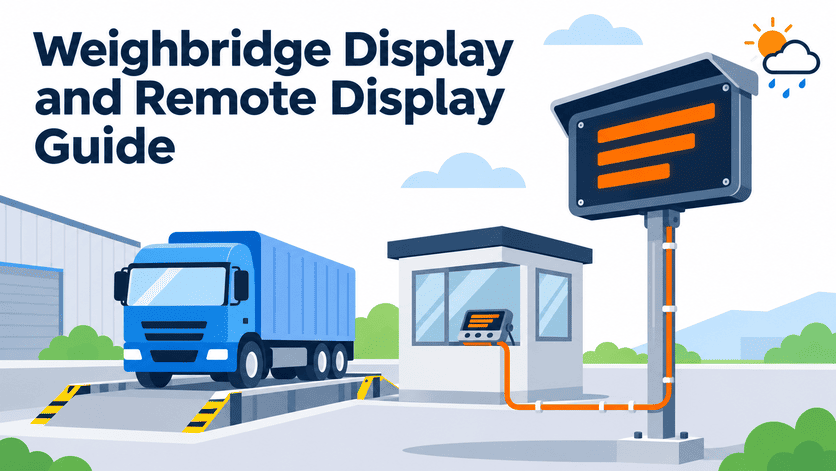
Choosing the right weighbridge display — especially a remote display — sounds like a simple accessory decision, but it is the single purchase most likely to arrive at your site and not work as expected. The screen powers on, yet the digits are garbled, too small to read from the truck cab, or simply blank. The root cause is almost never a defective product.1 It is a mismatch between the display and the actual site conditions that nobody measured before the purchase order went out.
A weighbridge display and remote display purchase should be driven by five site-specific questions: viewing distance, indicator output compatibility, outdoor environment, cable run and power availability, and what content the screen must actually show. Answer these before selecting a size or model, and most field failures — unreadable digits, garbled data, blank screens — disappear before the shipment ever leaves the factory.
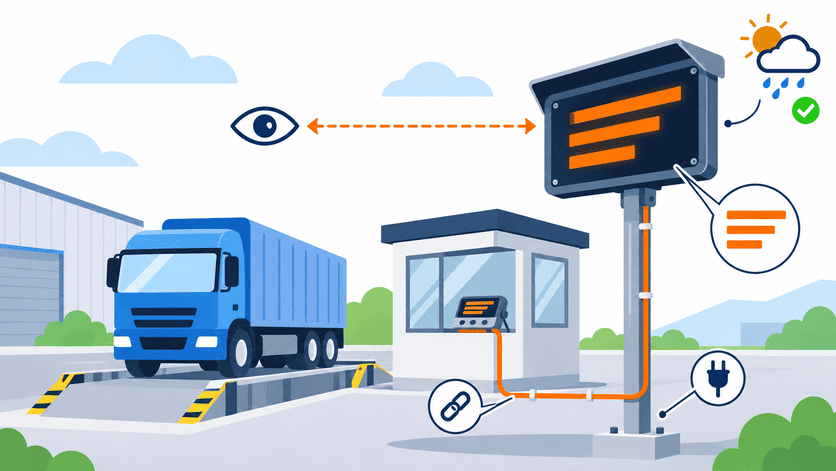
In our experience configuring and troubleshooting weighbridge remote displays over the past two decades, we have found that the buyers who send us five pieces of site information up front almost never have post-installation problems. The buyers who start with "send me your biggest screen" are the ones calling back. Below, I walk through each of those five questions — what it determines, what goes wrong when it is skipped, and what you should send your supplier instead.
Why Is Viewing Distance the First Question for a Weighbridge Display?
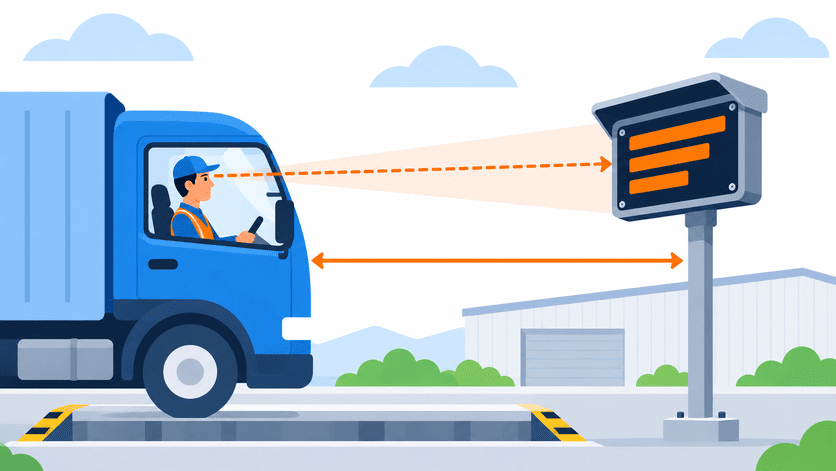
Buyers instinctively start with screen size. "I want a 6-inch display" or "give me the largest one you have." But readability is not a size problem — it is a distance × sightline problem. A 200 mm digit height is overkill at 5 meters and completely unreadable at 50 meters, not because the digits are small, but because the mounting angle puts the screen above the driver's line of sight.
The first question we ask when a buyer requests a remote display is: how far is the driver's eye position from the screen, and where will the screen be mounted relative to the truck cab? That answer — not a catalog page — determines digit height, screen orientation, and mounting method.
How Digit Height Relates to Distance
The general rule we work with is straightforward: every 1 meter of viewing distance requires roughly 25–30 mm of digit height for comfortable readability in daylight conditions. This is not a laboratory-certified formula — it is a practical range that accounts for the fact that drivers are reading through a windshield, often at a slight angle, sometimes in bright sunlight.
| Viewing Distance | Recommended Digit Height | Typical Use Case |
|---|---|---|
| 3–5 m | 75–120 mm | Driver reads from cab at platform edge |
| 8–15 m | 200–380 mm | Driver reads from queue lane or gate area |
| 20–30 m | 500–750 mm | Yard supervisor reads from office or control room |
| 30 m+ | 750 mm+ or LED scoreboard | Remote visibility for traffic management |
The Mounting Height Mistake
I have seen this pattern repeatedly: a buyer orders a perfectly sized display, installs it on a pole at 4 meters off the ground, and the driver in a standard sedan or pickup cannot tilt their head far enough to read it. The cab pillar blocks the upper portion of the screen. Meanwhile, a truck driver in a high cab sees it fine — but the sedan drivers complain constantly.
The fix is not a bigger screen. It is a lower or angled mount. Before ordering, sketch the sightline:
- Driver eye height in the most common vehicle type (truck cab ≈ 2.2–2.8 m; car ≈ 1.1–1.3 m)
- Screen center height on the proposed mounting position
- Horizontal offset — is the screen directly ahead of the driver, or off to one side?
If the screen is off-axis by more than about 30–40 degrees, even large digits become hard to read, especially on LED displays with narrower viewing angles.2
What to Send Your Supplier
Instead of saying "I want a big display," provide:
- Distance from the truck cab stop position to the display location (in meters)
- Vehicle mix — trucks only, or cars and trucks?
- Proposed mounting height — pole, wall, overhead gantry?
- Photo or sketch of the sightline from the driver's position
This gives the supplier enough information to recommend a digit height and mounting angle, rather than simply quoting the largest screen in the catalog.
Can Any Weighbridge Indicator Drive Any Remote Display?
This is the most expensive assumption in the weighbridge display market. A buyer wires up a brand-new remote display to their existing indicator, powers it on, and sees one of three symptoms: nothing, garbled characters, or a frozen/delayed value. Each symptom points to a different mismatch, and none of them means the display is defective.
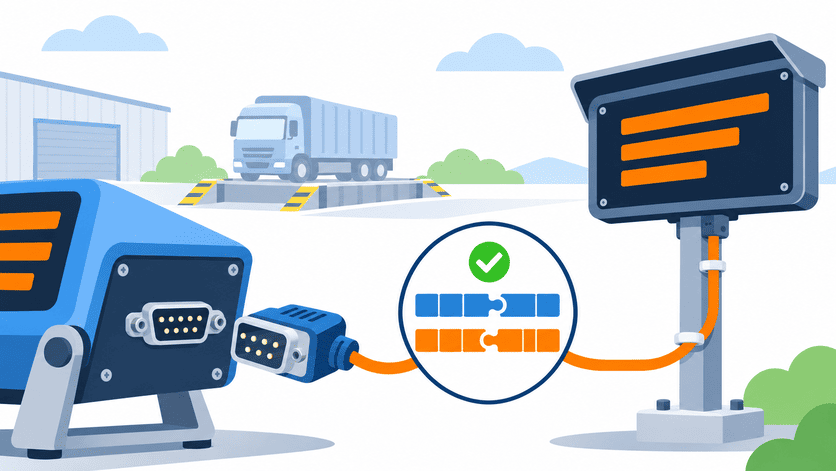
The answer we give every buyer who asks about compatibility is blunt: no, not every indicator can drive every remote display out of the box. The real gate is the indicator's output port type, its communication protocol, baud rate, and data frame format.3 If any one of these does not match, the display will not show a correct, live weight reading.
Symptom-to-Cause Mapping
This is the troubleshooting pattern we walk through most often with buyers who have already installed and encountered a problem:
| Symptom | Most Likely Cause | What to Check |
|---|---|---|
| Screen powered on, completely blank (no digits at all) | Indicator's serial output port not enabled, or no cable connection detected | Indicator menu settings — serial output must be explicitly turned on in most models |
| Digits appear but are garbled or random characters | Protocol mismatch or baud rate mismatch between indicator and display | Confirm both devices use the same protocol (e.g., continuous output mode), same baud rate (e.g., 9600), same data bits and parity |
| Weight value appears but is frozen or updates very slowly | Indicator is set to print-on-demand mode instead of continuous streaming mode | Switch indicator output to continuous transmission; check if display expects a specific polling command |
| Partial digits — some segments missing or display shows odd formatting | Data frame format mismatch — the display expects a different byte structure than the indicator sends | Compare the indicator's output string format with the display's expected input format, byte by byte |
Why This Happens So Often
Most weighbridge indicators have a serial output port — typically RS-232 — but the port is often disabled by default or set to a "print" mode designed for ticket printers, not continuous display feeds. The indicator and the remote display must agree on:
- Physical interface: RS-232, RS-485, or current loop
- Baud rate: commonly 1200, 2400, 4800, 9600, or 19200
- Data frame: number of data bits, parity (none, odd, even), stop bits
- Output mode: continuous streaming vs. command/response vs. print-on-demand
- Data string format: which bytes carry the weight value, polarity, stability flag, and unit — this varies between indicator manufacturers
When a buyer purchases the indicator and the remote display from the same supplier and confirms compatibility at the time of order, these settings are pre-matched at the factory. When a buyer purchases a display from one source to retrofit onto an existing indicator from a different manufacturer, the burden of matching falls entirely on the buyer — and this is where the garbled-digits phone calls originate.
What to Send Your Supplier
Before ordering a remote display for an existing indicator:
- Indicator brand and model number
- Which output port you plan to use (most indicators have more than one)
- Current port settings — baud rate, data bits, parity, output mode (your indicator manual or the indicator's setup menu will show these)
- A sample of the output data string if possible (connect a laptop with a serial terminal program and capture a few lines)
If you are purchasing both the indicator and the remote display together, simply tell the supplier that the display must work with the indicator being quoted — a competent supplier will pre-configure both ends before shipment.
How Does Outdoor Placement Change the Weighbridge Display Decision?
A remote display sitting on a desk in a showroom and the same display mounted on a pole in a sun-facing, dust-blown weighbridge yard are two completely different products in terms of survival and readability. Buyers who compare only screen size and unit price are effectively pushing environment-driven costs — failed enclosures, unreadable screens in sunlight, corroded connectors — into the after-sales phase.
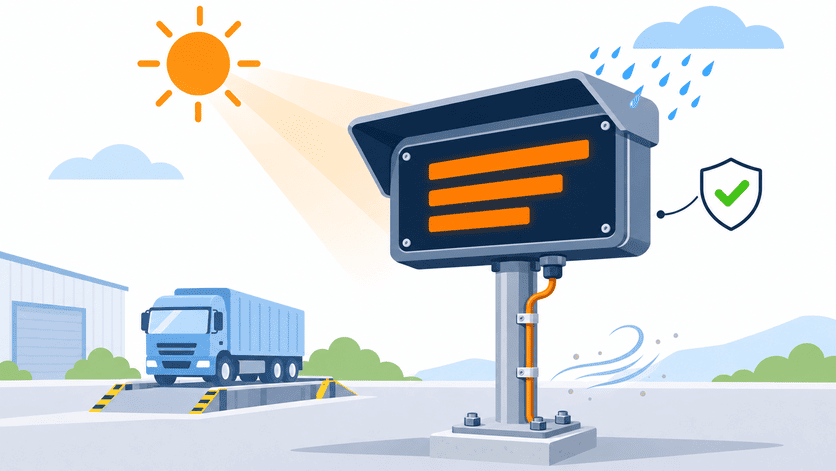
When we ask about the installation environment, we are trying to determine three things: enclosure protection level, display brightness class, and mounting method. Each one adds cost, but skipping any one of them creates a far more expensive field failure.
Enclosure Protection
For a permanently outdoor-mounted weighbridge display, the enclosure must handle:
- Driving rain from multiple directions (not just top-down dripping)
- Dust and fine particulates — cement plants, grain elevators, mining operations
- Temperature extremes — direct sun can push surface temperatures well above ambient
- Insect and rodent ingress in some regions
We typically recommend a minimum of IP55 for covered or semi-sheltered mounting, and IP65 or higher for fully exposed installations. These are ratings buyers should verify against the actual test reports, not just catalog claims. An IP65-rated display means dust-tight and protected against water jets — appropriate for most weighbridge environments.4
Brightness and Sunlight Readability
This is the variable most often underestimated. A standard indoor LED display with moderate brightness becomes completely unreadable when the afternoon sun hits it directly.5 For outdoor weighbridge applications, we generally work with displays rated for high-brightness or direct-sunlight operation, which in practice means significantly brighter than standard indoor units.
Key considerations:
- Sun-facing orientation: If the display faces south (in the northern hemisphere) or west, direct sunlight will wash out low-brightness displays for several hours per day
- LED color: Red LEDs typically offer better sunlight contrast than green or amber at equivalent power levels6
- Automatic brightness adjustment: Some displays include ambient light sensors that boost brightness in sunlight and dim at night to reduce glare — a useful feature for 24-hour operations
Mounting and Power at the Display Location
The display's physical position often creates a practical challenge that buyers do not anticipate until installation day:
- Is there a pole, wall, or gantry at the desired location, or does one need to be fabricated?
- Is AC power available at the display mounting point, or does it need to be run from the weighbridge pit or a separate distribution panel?
- What is the cable routing path — underground conduit, overhead tray, or exposed run?
I have seen projects delayed by weeks because the display arrived, the mounting pole was ready, but there was no power within 40 meters of the display location. Plan the power source before ordering the display.
Does the Cable Run Determine Wired or Wireless for a Weighbridge Remote Display?
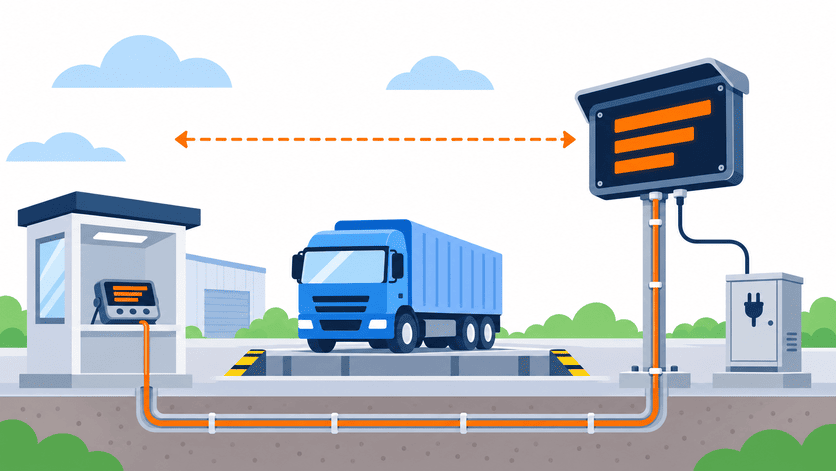
The distance from the indicator to the remote display, and whether power exists at the display end, are the two questions that determine the wiring architecture. This is not a technology preference — it is a site constraint that should be resolved during the project layout phase, not discovered during installation.
For most weighbridge remote display installations, a wired RS-232 or RS-485 connection is the standard, reliable, and lowest-cost approach — if the cable run is practical. When it is not, wireless options exist, but they introduce a different set of requirements.
Wired Connections: RS-232 vs. RS-485
| Parameter | RS-232 | RS-485 |
|---|---|---|
| Typical maximum cable length | ~15 m (practical limit) | Up to 1,000–1,200 m with proper cabling7 |
| Signal type | Single-ended | Differential (more noise resistant) |
| Suitable for | Display mounted near indicator or weighbridge house | Display mounted at gate, fence, or distant pole |
| Cable type | Standard serial cable, often unshielded | Twisted-pair, preferably shielded |
| Converter needed? | No (if both devices have RS-232 ports) | May need RS-232 to RS-485 converter if indicator has only RS-232 output |
The practical takeaway: If your display is within 10–15 meters of the indicator, RS-232 is usually sufficient. Beyond that, RS-485 is strongly preferred because it tolerates longer cable runs, electrical noise from vehicle ignition, and the general interference environment of an industrial weighbridge site.
When Wireless Makes Sense
Wireless transmission (typically using paired RF serial modules or industrial-grade Bluetooth/WiFi bridges) becomes the practical choice when:
- The cable run exceeds a manageable conduit distance, or
- The display location has no feasible path for running cable (e.g., across a public road, over a waterway), or
- The display is a portable unit that moves between multiple weighbridge positions
Wireless is not inherently less reliable than wired, but it requires attention to:8
- Line-of-sight clearance between transmitter and receiver
- Power at both ends — the wireless module at the indicator end needs power, and the display end still needs power
- Interference from heavy equipment, VFDs (variable frequency drives), and other RF sources common in industrial sites
Power at the Display Location
This deserves its own emphasis. The remote display needs power regardless of whether the data connection is wired or wireless. If there is no AC outlet, junction box, or panel near the display mounting point, you need to plan for one of:
- Running a power cable from the nearest source (which may coincide with the data cable conduit)
- Solar-powered displays — viable for some locations, but requiring battery backup for nighttime or overcast operation
- Low-voltage DC power carried over the same cable as the data signal (some RS-485 remote displays support this, but confirm with the supplier)
Does the Content Shown on the Display Change the Entire Scope?
This is the question that separates a simple accessory purchase from a system integration project. When a buyer says "I need a remote display," my first follow-up is: what exactly must the screen show?
If the answer is "just the weight value," we are talking about a standard weight-only remote display — a relatively straightforward product with well-understood compatibility requirements.
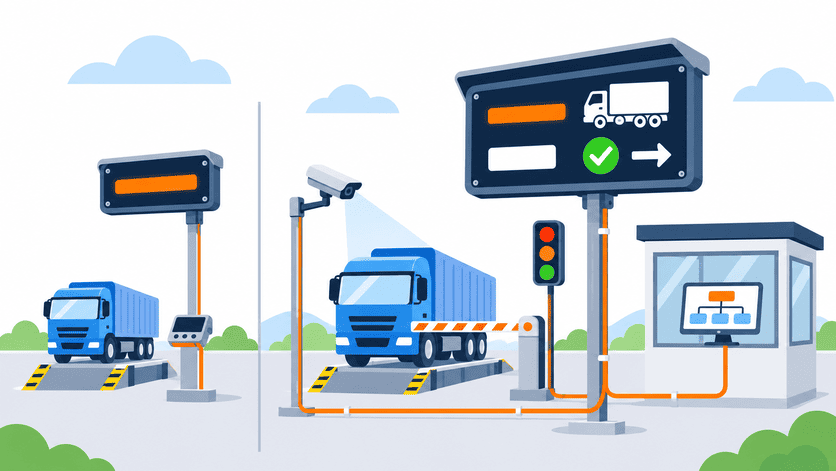
If the answer is "the weight, plus the truck plate number, plus a pass/fail status, plus traffic instructions," we are talking about a completely different product category — one that is tied to an unattended weighing system, requires software integration, and may need to communicate with cameras, barriers, traffic lights, and management software.
Weight-Only Remote Displays
These are the majority of remote display orders we handle. The display receives a continuous serial data stream from the indicator and shows the weight value — nothing more. Key characteristics:
- Input: Serial data from indicator (RS-232 or RS-485)
- Output: Numeric digits showing gross, net, or tare weight
- Integration complexity: Low — match the protocol, wire it up, done
- Typical form factor: Large LED numeric display in a weatherproof enclosure
Integrated Information Displays
These displays show weight data plus additional content that is generated by the weighbridge management software, not by the indicator alone. Examples include:
- Vehicle plate number (from automatic license plate recognition)
- Transaction sequence number
- Pass/fail or go/stop prompts
- Queue position or lane assignment
- Date, time, and operator messages
This type of display is not driven by the indicator's serial output. It is driven by the weighbridge software running on a PC or server, which aggregates data from the indicator, cameras, barriers, and database.9 The display becomes part of the unattended weighing system architecture — and the compatibility question shifts from "does it work with my indicator?" to "does it work with my software platform?"
If your project requires an integrated information display, start the conversation with the software and system scope, not with the display hardware. The display is the last component selected, not the first.
Matching Display Type to Buyer Need
| Buyer Type | Typical Display Requirement | Decision Priority |
|---|---|---|
| Distributor/Importer | Weight-only remote displays compatible with multiple indicator brands | Cross-compatibility, serviceability, and stocking efficiency |
| Project Integrator/EPC | May need weight-only or integrated information displays depending on project spec | Site layout, viewing distance, barrier interlock, system handover documentation |
| End-User Plant/Mine | Weight-only display readable from the truck cab to reduce disputes | "Can the driver read it without leaving the cab?" and long-term durability |
Each of these buyer types reaches a different conclusion even when looking at the same display catalog. A distributor needs a display that works with multiple indicator brands already in the field — so protocol flexibility and broad compatibility matter most. A project integrator needs a display that fits the site drawing, the software scope, and the acceptance checklist. An end-user plant manager needs a display that stops the arguments between the truck driver and the weighbridge operator about what the weight was.
Frequently Asked Questions
What is the standard communication interface for a weighbridge remote display?
Most weighbridge remote displays use RS-232 or RS-485 serial communication. RS-232 is common for short distances (under 15 m), while RS-485 is preferred for longer cable runs up to 1,000 m or more. Always confirm that the display's interface matches your indicator's output port and protocol settings before ordering.
Can I add a remote display to an existing weighbridge without replacing the indicator?
Yes, in most cases. If your existing indicator has an available serial output port (RS-232 or RS-485), a compatible remote display can be connected without replacing any other equipment. The key is to verify the indicator's output protocol, baud rate, and data format and match these to the display's input requirements.
How do I choose between a wired and wireless remote display connection?
The decision depends on cable run distance and feasibility, not personal preference. If a conduit path exists and the distance is within RS-485 range, wired is simpler and more reliable. Wireless is the practical choice when physical cabling is not feasible — for example, across a road or to a portable display unit.
What IP rating should a weighbridge remote display have for outdoor use?
For most outdoor weighbridge installations, we recommend a minimum of IP55 for semi-sheltered locations and IP65 or higher for fully exposed mounting positions. Verify the rating against actual test documentation, especially for installations in dusty environments like mines, cement plants, or grain handling facilities.
Why does my new remote display show garbled characters instead of the weight?
Garbled characters almost always indicate a protocol or baud rate mismatch between the indicator's serial output and the display's expected input format. Check that both devices are set to the same baud rate, data bits, parity, and stop bits. Also confirm that the indicator is set to continuous output mode rather than print-on-demand mode.
Conclusion
A weighbridge display and remote display decision should never start with a catalog or a screen size. It starts with five site-level questions: viewing distance and sightline, indicator output compatibility, outdoor environment demands, cable run and power availability, and what content the screen must actually show. When these questions are answered before the purchase order, the display arrives ready to work. When they are skipped, the display arrives ready to generate a support ticket.
At HENER, we configure weighbridge remote displays as part of complete weighbridge system orders and as standalone accessory shipments. In both cases, we ask these same five questions before quoting — because 23 years of industrial weighing experience has taught us that the cheapest display is the one that works on the first power-up. If you are planning a weighbridge display purchase, send us your site distances, indicator model, installation environment, and content requirements, and we will help you identify the right match before anything ships.
References
- Troubleshooting Weighbridge Software Issues: A Technical ...
- Toward Human-Aligned Luminance Measurement for ...
- Weighing and Scales FAQs
- Ingress Protection (IP) ratings
- Display Daylight Ambient Contrast Measurement Methods ...
- LED Basics
- RS-485
- Wireless Systems for Industrial Environments
- Automated vehicle access control system using license plate ...